
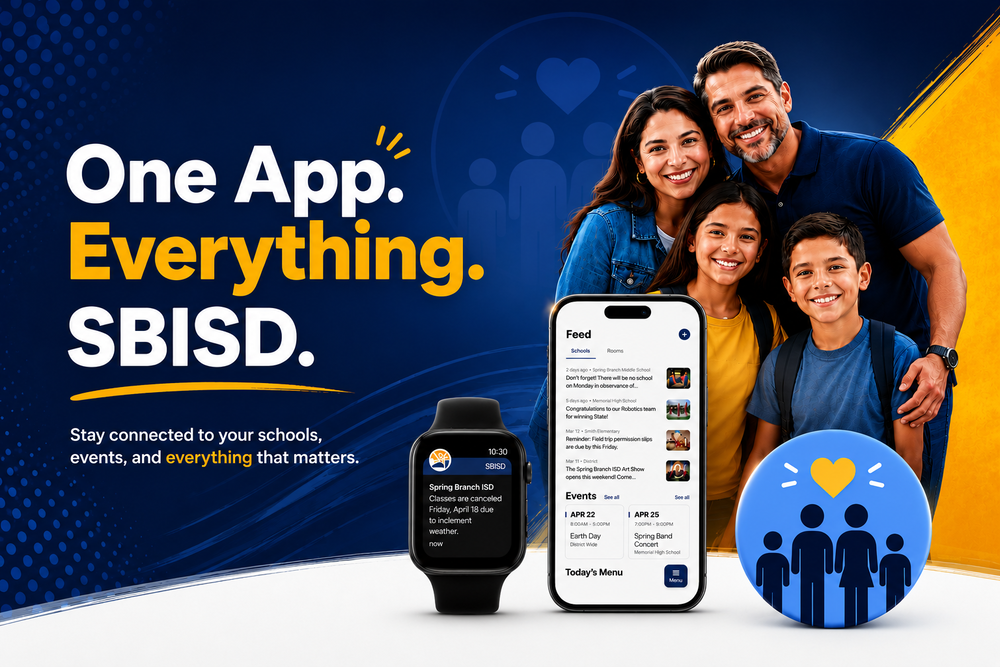
Spring Branch ISD (SBISD) is launching a new digital communication experience designed to keep everything you need in one place.
Beginning in early August, families will have access to Spring Branch ISD's new districtwide communications platform through the new Spring Branch ISD TX app, updated school websites, and Rooms. Whether you're checking school news, reading classroom announcements, viewing events or communicating with your child's teacher, you'll have one connected experience.
Getting ready is easy.
Complete these simple steps so you'll be connected and ready for the first day of school!
Step 1: Update your contact information in Skyward
Your email address and mobile phone number in Skyward are used to connect your account to Rooms and the Spring Branch ISD TX app. Please verify that your contact information is current by logging into Skyward Family Access or updating it during Back-to-School Registration.
If you are an SBISD employee, be sure the email address and mobile phone number listed in your
Skyward Family Access account are the ones associated with your personal, parent/guardian record. (Not your SBISD assigned work email.)
If your contact information is incorrect, update it before August 9.
Step 2: Download the Spring Branch ISD TX App
Download the free Spring Branch ISD TX app from the Apple App Store or Google Play.
With the app you'll be able to:
Receive important district and school announcements
Read school news and classroom updates
View calendars/events
Find staff directories and important resources
Receive emergency notifications
Access Rooms for classroom communication
Step 3: Rooms invitation
Beginning around August 10, families will begin receiving invitations to join Rooms by email or text message. The invitation will come from Spring Branch ISD. If you don't see it right away:
Check your spam or junk folder.
Make sure your email address and phone number are correct in Skyward.
Watch for both email and text invitations.
Be sure to ask your child's teacher and school how they'll use Rooms as part of their communication with families this school year.
Step 4: Sign and set your preferences
Once you've accepted your invitation, sign into Rooms and customize how you'd like to receive communications. You can choose:
Push notifications through the app
Text message notifications (when enabled)
Email notifications
Instant notifications
Scheduled digest notifications
Quiet hours and notification preferences
Preferred language (when available)
These settings allow you to receive information the way that works best for your family.
What to expect
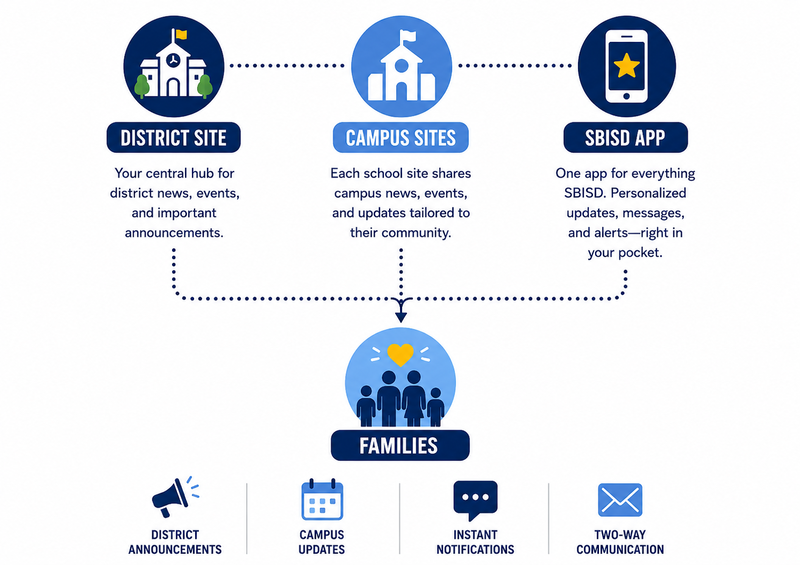
The new SBISD digital experience brings district, campus and classroom communication together.
District Information
Emergency notifications
District news
Weather and safety updates
Events and celebrations
Campus Information
Principal messages
School news
Campus calendars
Reminders and announcements
Classroom Information through Rooms
Announcements, c
lass updates
Photos and celebrations
Two-way messaging (in the platform)
Automatic translation
Important Dates
Now - Aug. 9
Download the Spring Branch ISD TX app.
Update your contact information in Skyward.
Around Aug. 10
Watch for your Rooms invitation by email or text.
Sign in and personalize your notification settings.
First Day of School, Aug. 13
Be ready from day one to receive district, school, and classroom communications. Ask your teacher how they'll use Rooms to keep your family connected throughout the school year.
We're excited to provide a simpler, more connected experience for SBISD families. Thank you for taking a few minutes to get set up before school begins.
Learn more about our new platform, Apptegy, here.
Resources Links:
Verify your information in Skyward
More information can be found here.